388ch
14-day trial
388CH plugin — channel strip with preamp, EQ and tape recorder modeled on a real Tascam 388.
Introduction
388CH is a full channel from the Tascam 388, the mixer with a built-in reel-to-reel recorder: mic/line preamp with TRIM, 3-band EQ with sweepable frequencies, channel fader and the recorder itself, with three tape types, adjustable bias, flutter, hiss and hum. The channel circuit is simulated and modeled component by component from the schematic, and the controls, the tape, the flutter and the noise were fitted to measurements of a real Tascam 388.
Installation
- Download MrAppManager from the INSTALLATION PAGE, or the installer with all the plugins if you'd rather not use the app.
- Open MrAppManager, go to Plugins and click Install on 388CH, or run the installer.
- Open your DAW and find 388CH in the plugin list: VST3 and AAX on macOS and Windows; AU on macOS only.
- Insert 388CH on the desired channel's effects chain, on mono or stereo tracks.
Interface
INPUT, MIX, OUTPUT and the presets sit at the top; inside the panel are the channel (LINE/MIC input with TRIM, EQ and LEVEL fader), the VU meters and the tape recorder with its BIAS. On the knobs, double-click returns to the default value and Shift + drag gives fine adjustment. The EQ, TRIM, BIAS and LEVEL values can be typed by clicking the number. With Help Hints turned on in the menu (it is by default), every control shows its explanation.
Input: Input level, from −6 to +6 dB. More gain drives the channel and the tape harder.
Mix: Blend between the original and the processed signal. 100% = processed signal only.
Output: Output level, from −6 to +6 dB, to make up the volume change.
VU L / R: Level of the left and right channels. 0 VU is −18 dBFS.
In / Out: Chooses what the VU meters show: In is the signal after INPUT, before the channel; Out is the final output.
Bypass: Disables all processing, INPUT and OUTPUT included, keeping latency compensated for click-free comparison.
Reset: Returns every control to its initial value. Bypass is not changed.
Gain Unity: Automatically compensates the volume change caused by the plugin, so comparisons stay at equal loudness.
Oversampling: Raises the internal sample rate (x1, x2, x4 or x8) for more accurate treble EQ and less aliasing. Higher values use more CPU and add latency. The sound mutes for a moment when it changes.
Undo / Redo: Undo the last change or redo the last undone one.
A / B: Switch between two independent settings slots to compare them.
Presets: Click the preset name to open the preset menu. The save icon stores the current settings as a user preset and the arrows load the previous or next one.
Menu: Interface size (75%, 100% or 125%), knob sensitivity (Slow, Normal or Fast) and help: Help Hints, website, support, About and license.
Channel
The signal runs through the channel in the same order as on the desk: input selector and preamp, three-band EQ and fader. The whole channel can saturate when you push it with INPUT, TRIM or LEVEL.
Line / Mic: Line: the signal enters the channel clean. Mic: it goes through the Tascam 388 mic preamp. With TRIM at 0 both sound equally loud.
Trim: Mic preamp gain, from 0 to 10. Only works in MIC. Turn it up to push the preamp into saturation; the volume rises less than the gain you add.
EQ High: High band, from 2.5 to 15 kHz. The outer ring chooses the frequency and the inner knob boosts or cuts the band by up to 15 dB; at the center it does nothing.
EQ Mid: Mid band, from 500 Hz to 5 kHz. Outer ring for the frequency and inner knob for the gain, up to 15 dB.
EQ Low: Low band, from 50 Hz to 1 kHz. Outer ring for the frequency and inner knob for the gain, up to 15 dB.
Level: Channel fader, from 0 to 10. With the tape playing it sets how hard the signal hits the tape; with the tape stopped it is simply volume.





Tape
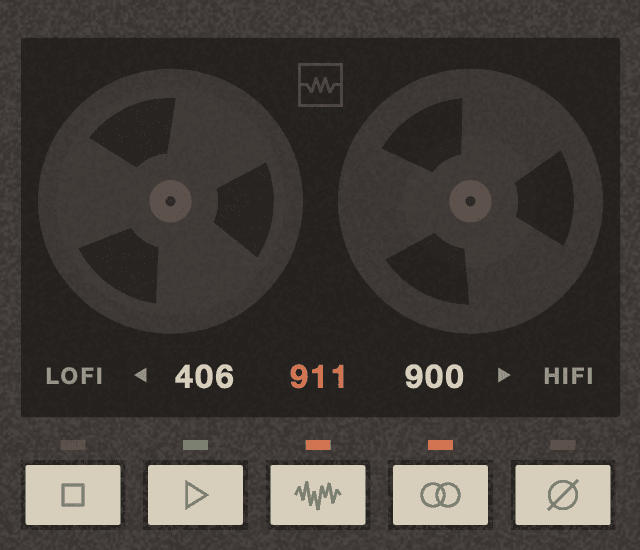
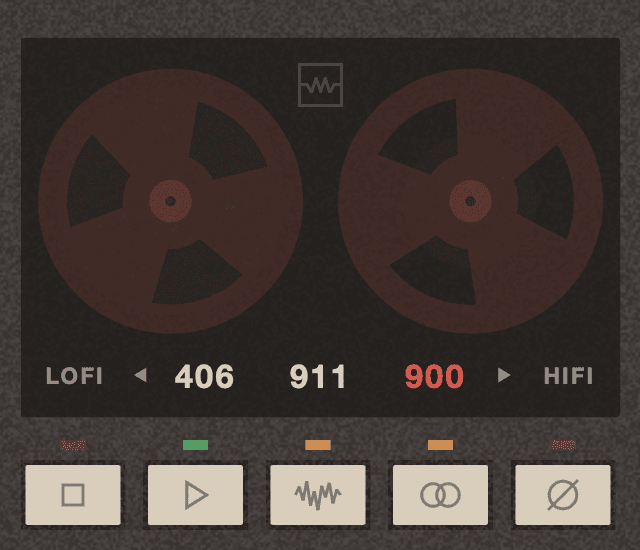
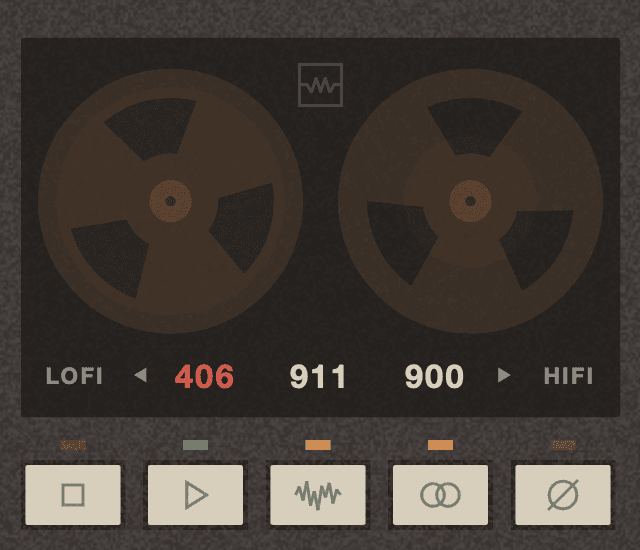
The recorder comes after the fader. With PLAY the signal goes through the tape and picks up its saturation, tone and flutter; with STOP you hear the channel alone. The tapes are chosen under the reels, from LOFI to HIFI.
Stop / Play: Play starts the tape. Stop stops it: you hear the channel alone, without tape.
406: Darker tape: softer highs that compress earlier, and cleaner mids.
911: The tape measured on the Tascam 388, standard output: it saturates earlier, and the highs are the first to compress when you push it.
900: Higher-output tape: it saturates later, most of all in the highs. Tone, flutter and noise stay the same.
Bias: Recording bias, from 40 to 180 mV; 120 mV is the Tascam 388 factory setting. Below it the tape gains highs and distorts much more; above it the tape loses highs and sounds cleaner. Only works with the tape playing.
Noise: Adds the hum and background noise of the desk and, with the tape playing, the tape hiss. Subtle; turn it off for a clean signal.
Stereo: On: left and right get independent flutter and hiss, like two tracks on the tape. Off: both channels share the same. Only works with the tape playing.
Polarity: Inverts the polarity of the output.
How 388CH works
Every part of the plugin starts from the original Tascam 388: the channel from its schematic; the tape, flutter and noise from recordings made on the machine at 7.5 ips.
Channel — simulated circuit: The preamp, the line input, the EQ, the fader and the output stages are computed component by component: resistors, capacitors, pots and op-amps, which saturate when they reach their voltage limit. The TRIM, EQ and fader curves were measured on the real unit.
Tape — saturation and response: The channel output goes through a pre-filter, the tape saturation and the flutter, then through the playback response measured on the machine, phase included.
Bias — measured from 40 to 180 mV: Bias was measured on the Tascam 388 at five points (40, 80, 120, 150 and 180 mV) and the plugin interpolates it mV by mV, with its effect on the highs and on distortion.
Flutter: Five fixed components plus noise with the measured spectrum, generated in blocks that never repeat: 0.12% rms on average, the same as measured on the machine.
Hiss and hum: The hiss follows the noise spectrum measured on the tape, and the hum is 50 Hz mains with its odd harmonics, measured at the desk output.
Latency: The tape adds a fixed latency of about 34 ms at 48 kHz, with the tape playing or stopped, plus the oversampling latency; the plugin reports it to the DAW.
Presets
388CH ships with 21 factory presets in seven categories: MixBus, Drums, Vocals, Guitar, Bass, Keys and Lo-Fi. You can also save your own presets.
System Requirements
- Formats: VST3, AAX (64-bit) and AU (macOS only)
- Platforms: macOS 10.13 or later on Intel and 11.0 or later on Apple Silicon, and Windows 10 (1607) or later (64-bit)
- No iLok required
- Works with all major DAWs, including Ableton Live, Logic Pro, GarageBand, FL Studio, Cubase, Studio One, Reason, Reaper, Bitwig Studio ...
Release notes
1.0.0 – 1.0.3 · November 2026
- 1.0.3: Optimized CPU usage.
- 1.0.2: More faithful MIC saturation, fitted to new measurements of the 388: pushing TRIM now adds even harmonics too and, with LEVEL up high, the stage after the fader saturates as well. Noise: the hum is 6 dB lower and, with the tape stopped, the console's background noise is added. Slightly less low end below 50 Hz (−0.4 dB at 20 Hz), as on the machine.
- 1.0.1: Tape STEREO: less difference in flutter between left and right, for a more natural image and better mono compatibility.
- 1.0.0: First release.